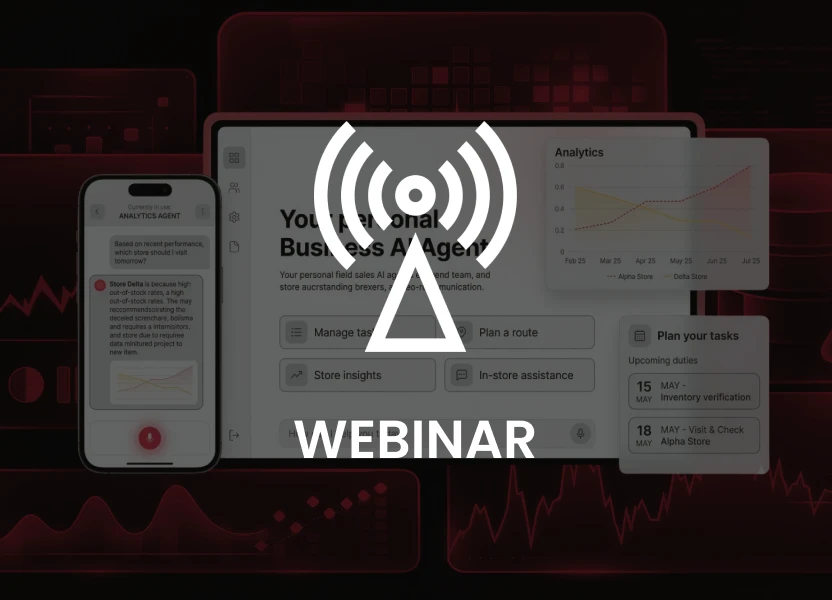
A practical roadmap for CPGs to move from manual reportingto smart, embedded analytics in field sales tools
Field sales is where CPG strategy meets store-level reality:pricing compliance, distribution, shelf share, promotions, and executionquality. Yet in many organizations, the analytics that should guide thesedecisions still lives in Excel—manually updated reports, inconsistentdefinitions, and insights that arrive too late.
Modernizing doesn’t mean replacing everything at once. Thefastest path is a staged migration: improve data reliability, standardizemetrics, embed decision support into the tools reps already use (CRM, SFA,mobile), and then introduce AI where it can reliably reduce effort or improveoutcomes.
Why CPG field sales analytics gets stuck in Excel
Excel persists because it’s flexible, familiar, and canbridge gaps between systems. But the same strengths create long-term costs:
• Manual refreshes and reconciliation(time-consuming, error-prone).
• Metric inconsistency across regions and teams(no single source of truth).
• Lagging insights (weekly or monthly reportingfor daily execution problems).
• Low adoption in the field (analytics is separatefrom the selling workflow).
• Hard to scale: every new brand, retailer, or KPIadds spreadsheet complexity.
The target state: embedded analytics and AI in the field workflow
The goal is not “more dashboards.” It’s decision supportembedded in daily actions. In a mature model, field reps and managers get:
• A single set of trusted metrics (distribution,OSA, promo compliance, share of shelf, pricing).
• Role-based insights inside the SFA/CRM tool (notin a separate BI portal).
• Exception-driven workflows (focus on whatchanged, what’s at risk, what to fix next).
• AI assistance for repetitive tasks (summaries,next-best action, visit planning).
• Closed-loop measurement (what was recommended,what was done, what improved).
A step-by-step roadmap (pragmatic, not theoretical)
Step 0: Pick one execution outcome and define it precisely
Before architecture, choose a business outcome that fieldsales can influence and that you can measure. Examples:
• Improve on-shelf availability for top 50 SKUs intop 3 retailers.
• Increase distribution (ACV) for a priorityinnovation in a defined geography.
• Improve promotional compliance during a specificcampaign window.
Define metrics, thresholds, and ownership. If teams can’tagree on “what good looks like,” automation will only scale confusion.
Step 1: Build the data foundation (the minimum viable ‘truth’)
You don’t need perfect data, but you do need predictable,explainable data. Focus on a small set of sources and make them reliable:
• Store master and customer hierarchy (accounts,banners, territories).
• Sales / shipments / POS (whichever isappropriate for the use case).
• Promotion calendar and price lists (planned vsactual).
• Visit activity and outcomes from the field tool(tasks completed, photos, notes).
Deliverables that matter:
• A shared metric dictionary (definitions,formulas, refresh cadence).
• Automated data quality checks (missing stores,duplicate SKUs, outliers).
• A ‘gold’ dataset for the pilot scope (oneregion/retailer/category).
Step 2: Replace static reporting with repeatable pipelines
This is where Excel typically breaks: recurring refreshesand joins across systems. Move those joins into repeatable pipelines (ETL/ELT)and treat them like a product.
Key principles:
• Automate refreshes (daily where it matters).
• Version your logic (changes are tracked andtestable).
• Make data lineage visible (so users trust wherenumbers come from).
Business impact: fewer reporting fire drills and fasteraccess to reliable execution signals.
Step 3: Embed ‘insights to action’ into the field sales tool
Dashboards alone don’t change behavior. Embed analyticswhere reps plan and execute visits.
Start with three embedded patterns:
• Account scorecards: the 5–10 KPIs that defineexecution quality for that store.
• Exceptions and alerts: what changed since lastvisit (new out-of-stock, price violation, promo display missing).
• Guided tasks: recommended actions with evidenceand a clear ‘definition of done.’
Design rule: every insight should map to a next step the repcan complete inside the same workflow.
Step 4: Introduce ‘assistive AI’ before ‘decision AI’
The fastest, safest AI wins in field sales are assistive:they reduce effort without taking control. High-impact examples:
• Auto-summaries of account history before a visit(what happened, what’s unresolved).
• Photo/notes summarization to standardizereporting quality.
• Speech-to-text and structured capture (turnnotes into tagged outcomes).
• Manager briefings (territory changes, top risks,rep coaching signals).
Why this works: it improves data capture and adoption—twoprerequisites for stronger predictive models later.
Step 5: Add predictive and prescriptive AI once you have closed-loopsignals
After embedded analytics is driving consistent behaviors,you can graduate to predictive/prescriptive use cases:
• Next-best action: which task will most likelyimprove OSA or promo compliance for this store.
• Visit planning optimization: which stores tovisit next week given risk, travel time, and promo calendar.
• Opportunity prediction: which accounts arelikely to expand distribution if the right action is taken.
These models require feedback: what was recommended, whatwas executed, and what outcome changed. Without that loop, predictions becomeacademic and trust erodes.
A practical architecture (kept intentionally simple)
Most CPGs can modernize field sales analytics with astraightforward stack:
• Data sources: POS/sell-out, shipments, promocalendar, price lists, store master, SFA/CRM activity.
• Data layer: cloud warehouse or lakehouse +transformation pipelines.
• Semantic layer: metric definitions, hierarchies,and role-based access.
• Serving layer: APIs or embedded BI componentsinside the field tool.
• AI layer: LLM for summaries + ML models forprioritization/next-best action.
• Monitoring: data quality + model performance +adoption metrics.
What matters most is not the vendor choice—it’s consistentdefinitions, predictable refresh, and tight integration into daily workflow.
Governance and guardrails (non-negotiables)
Field sales analytics touches sensitive information:customer pricing, photos, notes, and sometimes PII. Put guardrails in placeearly:
• Role-based access and territory-basedpermissions.
• Clear policies for photo storage, retention, andconsent.
• Approved language rules for any customer-facingAI output.
• Human-in-the-loop for high-risk recommendations(e.g., pricing claims).
KPIs to track modernization progress
To avoid “tech for tech’s sake,” track three categories ofKPIs:
• Data reliability: refresh success rate,completeness, and reconciliation errors.
• Adoption: weekly active users, task completionrates, override reasons, time saved per visit.
• Business outcomes: OSA, distribution gains,promo compliance, revenue lift in pilot scope.
A realistic 12-week starter plan (pilot to prove value)
Weeks 1–2: Define scope and align metrics
• Pick one retailer/region/category and oneexecution outcome.
• Agree on KPI definitions and baseline.
• Confirm which system is the system of record foreach data element.
Weeks 3–6: Build the ‘gold’ dataset and embedded scorecards
• Automate ingestion and transformation for thepilot sources.
• Implement data quality checks and exceptionreporting.
• Ship account scorecards inside the field tool(or via an embedded component).
Weeks 7–10: Add exceptions + guided tasks
• Surface the top execution exceptions with clearthresholds.
• Attach recommended tasks and capture outcomes instructured form.
• Train reps and managers on “what to do when yousee X.”
Weeks 11–12: Add assistive AI + measure impact
• Launch visit prep summaries and managerterritory briefs.
• Measure time saved, data capture improvements,and pilot outcome movement.
• Decide scale plan and next model investments.
Common pitfalls (and how to avoid them)
• Trying to solve every KPI at once—start narrow,scale with playbooks.
• Building dashboards that sit outside the repworkflow—embed insights and actions.
• Skipping metric governance—misaligneddefinitions kill trust.
• Jumping to predictive AI without closed-loopdata—start with assistive AI first.
Conclusion
For CPG field sales, the journey from Excel to embedded AIis a series of compounding improvements: trusted data, repeatable pipelines,embedded analytics that drive action, and then AI that reduces effort andimproves prioritization. Done step by step, modernization doesn’t disrupt thefield—it makes the field smarter, faster, and more consistent at store level.
FAQ
1. Why are CPG field sales teams still relying on Excel for analytics?
Because Excel is flexible, familiar, and bridges gaps between systems. But that convenience hides long-term costs: manual refreshes, inconsistent metrics across regions, lagging insights for daily execution, and low adoption when analytics lives outside the sales workflow.
2. What does “embedded analytics” in field sales actually mean?
It means reps and managers don’t have to leave their SFA/CRM or mobile app to get insights. They see trusted KPIs, alerts, and recommended actions directly in their daily tools, tied to each account or visit, with clear next steps they can execute in the same workflow.
3. Where should CPGs start if they want to modernize field sales analytics?
Start small. Pick one concrete execution outcome (e.g., improve OSA for top SKUs in one retailer/region), align on metric definitions, and build a “gold” dataset for that scope. Then replace manual reporting with automated pipelines and embed simple scorecards and exceptions into the field tool.
4. Why introduce “assistive AI” before more advanced predictive models?
Assistive AI reduces effort without taking control: auto-summaries of account history, standardized visit notes, speech-to-text, and manager briefs. This improves data capture and adoption—two prerequisites for reliable predictive and prescriptive models like next-best action or visit optimization.
5. How do we measure if the shift from Excel to embedded analytics is working?
Track three KPI buckets:
- Data reliability (refresh success, completeness, reconciliation errors),
- Adoption (weekly active users, task completion, override reasons, time saved per visit),
- Business outcomes (OSA, distribution gains, promo compliance, revenue lift in the pilot scope).